Query Streams Review - The Ultimate Power Query Alternative for Real-Time SQL Data in Google Sheets & Excel
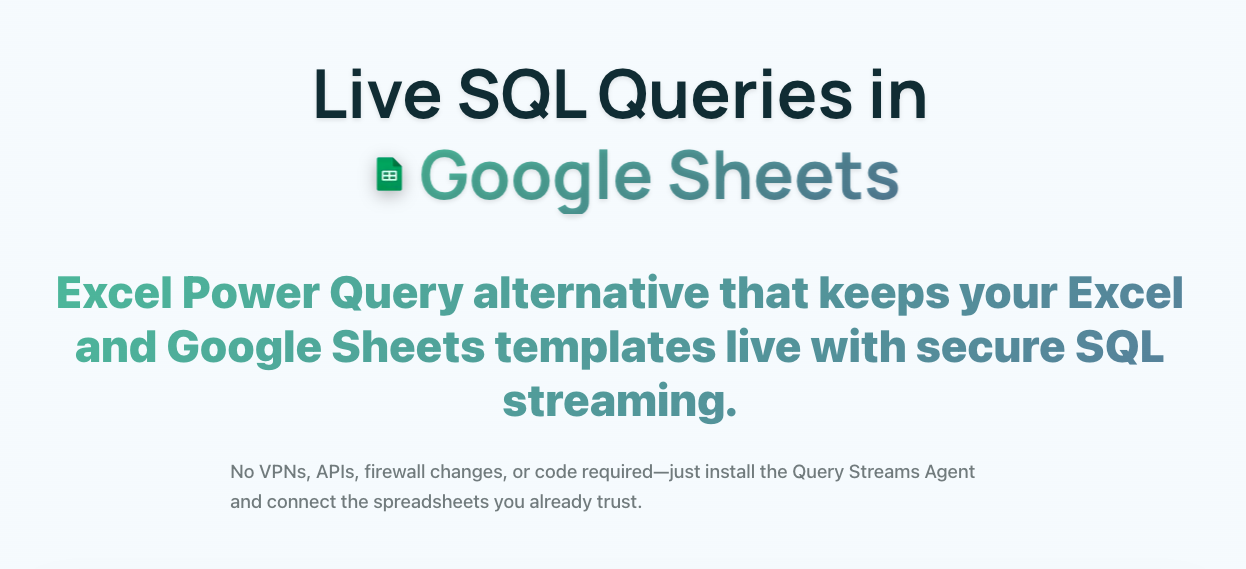
Query Streams eliminates the friction between your databases and spreadsheets. Instead of manual exports and broken connections, it creates a secure data pipeline for live SQL queries directly in Excel and Google Sheets.
The Data Connectivity Crisis
Teams waste hours downloading CSVs and manually importing them. By the time data reaches decision-makers, it's outdated. Traditional solutions require complex VPN setups or expose credentials unsafely. Query Streams solves all of this with a lightweight agent-based architecture.
Key Capabilities
Dynamic Connectivity: SQL Server, PostgreSQL, MySQL, MariaDB, SQLite, Microsoft Access. Persistent channels for on-demand fresh data.
Parallel Execution: Load 5+ tabs simultaneously with intelligent scheduling and error isolation.
80-90% Compression: Proprietary algorithms make large-scale analysis practical over standard internet connections.
Secure Sharing: Parameterized queries for external users. Dropdown UIs instead of raw SQL. Credentials never exposed.
Pricing Plans
Query Streams offers a generous free tier and scalable paid plans:
- Individual (Free): 10 MB data limit, single user account, one database connection, basic SQL query support, and standard compression. Perfect for individual analysts who need occasional live data access in their spreadsheets without committing to a paid plan.
- Business ($100/month): 150 MB data limit, up to 5 team members with role-based access, multiple agent connections for different databases, shared team tools including collaborative query libraries, and email support. Designed for analytics teams that need regular live data feeds across multiple departments.
- Enterprise ($500/month): 1 GB data limit, unlimited users, advanced security features including data masking and encryption at rest, SAML/SSO authentication, dedicated agent infrastructure, priority support with 4-hour SLA, and custom compression tuning. Built for organizations where spreadsheet reporting is a critical part of daily operations.
All plans include standard compression algorithms achieving 80-90% data reduction. Annual billing provides 2 months free on Business and Enterprise plans. Enterprise customers receive personalized onboarding and infrastructure review.
Data Compression Technology
Query Streams' proprietary compression algorithms achieve 80-90% data reduction without sacrificing query accuracy. The system uses multiple compression strategies depending on data type:
- Numerical compression: Floating-point precision adjustment and delta encoding reduce numerical data size significantly while maintaining necessary precision for analysis.
- String deduplication: Repeated string values across database rows are stored once and referenced by index, dramatically reducing the size of text-heavy datasets.
- Columnar encoding: Data is organized and compressed column-by-column rather than row-by-row, taking advantage of similar data types within columns for more efficient compression ratios.
- Intelligent scheduling: Behind-the-scenes optimization determines when to pull fresh data vs. serving cached compressed results, balancing freshness with performance.
This compression makes large-scale data analysis practical even over standard internet connections without dedicated corporate VPN infrastructure. A 100 MB database query result can be delivered to a spreadsheet in under 2 seconds after compression.
Parallel Execution Engine
Query Streams' parallel execution engine enables simultaneous loading of 5 or more spreadsheet tabs without performance degradation. Each tab connection runs in an isolated execution context with independent error handling. If one query fails due to a database timeout, other tabs continue loading without interruption. The intelligent scheduling system prioritizes queries based on user activity, ensuring active spreadsheet tabs receive priority bandwidth while background tabs load progressively.
The engine automatically detects spreadsheet tab visibility and pauses queries on hidden tabs to conserve resources. When the user returns to a tab, the query resumes from where it left off using cached partial results, providing the appearance of instant data refresh.
Security Architecture
Query Streams employs a layered security approach that keeps your database credentials safe:
- Agent-based architecture: A lightweight agent installed within your network handles all database connections. Your credentials never leave your infrastructure. The agent communicates with Query Streams' cloud service through outbound-only encrypted channels, eliminating the need for inbound firewall rules or VPN access.
- Parameterized queries: When sharing queries with external users, you define parameterized inputs with constraints. Collaborators interact through dropdown menus and form fields rather than writing raw SQL, preventing injection attacks while enabling safe collaboration.
- Credential isolation: Each database connection uses isolated credential storage with AES-256 encryption. Team members can access shared queries without ever seeing the underlying connection credentials or database passwords.
- Granular permissions: Define who can create connections, who can execute specific queries, and who can share results externally. All actions are logged in an immutable audit trail.
This architecture makes Query Streams uniquely suitable for organizations that need to collaborate with external stakeholders without exposing their database infrastructure. Agencies can connect to client databases securely, financial analysts can share live dashboards with management, and data teams can distribute reports to non-technical stakeholders without security concerns.
Use Cases
Financial Reporting: Finance teams use Query Streams to pull live financial data from accounting databases directly into Excel. Month-end close processes that previously required days of manual data extraction now complete in minutes. P&L statements update automatically as source data changes, eliminating version control issues with emailed spreadsheets.
Operations Dashboards: Operations managers connect their SQL databases to Google Sheets, creating live dashboards that update automatically. Inventory levels, order status, and fulfillment metrics refresh on demand without manual CSV exports. The shared query feature enables consistent reporting across the organization with a single source of truth.
Agency Reporting: Digital agencies connect to client databases through the secure agent architecture. They build templated reports in spreadsheets that clients can access through parameterized views—clients see only their own data through dropdown-filtered interfaces without direct database access. This eliminates the weekly "can you send me the latest numbers" emails.
Data Validation: Data analysts use Query Streams to validate database exports against spreadsheet calculations in real time. Running the same queries directly against source databases reveals discrepancies that would otherwise be caught too late in the reporting cycle.
Pros and Cons
Pros:
- Live SQL data directly in familiar spreadsheet interfaces
- No learning curve for Excel/Sheets users
- Agent-based security eliminates VPN complexity
- 80-90% compression makes large datasets practical
- Parallel execution across multiple tabs
- Secure external sharing without credential exposure
Cons:
- Requires agent installation on database network
- 10 MB free limit restricts exploration of larger datasets
- Limited to SQL databases (no NoSQL support currently)
- Advanced features require Business plan or higher
- Compression can reduce precision on very large numerical datasets
FAQ
Q: Does Query Streams work with cloud databases? A: Yes. Query Streams works with any SQL database accessible from your network. For cloud databases like AWS RDS, Google Cloud SQL, or Azure SQL Database, you can install the agent on a cloud VM within the same VPC or use the cloud agent option that connects directly without on-premise infrastructure.
Q: Can I schedule automated data refreshes? A: Yes. Business and Enterprise plans support configurable refresh schedules. You can set queries to refresh every hour, daily at specific times, or trigger refreshes through webhook events, keeping your spreadsheets continuously updated without manual intervention.
Q: How is performance with millions of rows? A: Query Streams handles millions of rows effectively through its compression and parallel execution engine. Individual queries should be designed to return summarized or filtered data for optimal performance. The compression technology is particularly effective with aggregated data, achieving 90%+ reduction rates on grouped query results.
Final Verdict
Query Streams enhances existing workflows instead of forcing users into new tools. The security model—keeping credentials within your network while enabling external collaboration—is genuinely innovative. For teams that depend on spreadsheet-based reporting and analysis, Query Streams eliminates the friction of manual data exports while maintaining enterprise-grade security. The parallel execution engine and advanced compression make it practical for large-scale data work, and the tiered pricing ensures accessibility for both individual users and large enterprises.
Tags
# Review# Query Streams# Power Query alternative# Google Sheets SQL query# Excel SQL query# Real-time data streaming# Secure query sharing# Data compression# Parallel execution engine# Business intelligence toolsQuizBoost Review – The Invisible AI Study Assistant That Instantly Solves Questions on Any Learning Platform
Lynara Review - Precise Multi-Layer System Architecture Design Tool
Follow for new blogs
Subscribe to our blog
Subscribe to Newsletter
Subscribe to our newsletter to get the best products weekly.